
Free Guide for UK Businesses Using Microsoft 365
Microsoft 365 Passkeys: What’s Changing and What Your Business Needs To Do
Microsoft’s passkey rollout is under way, and Microsoft-provided SMS and voice authentication will retire on 1 February 2027. Download the free, plain-English guide to choosing approved passkey methods, protecting higher-risk users and planning a smooth rollout.
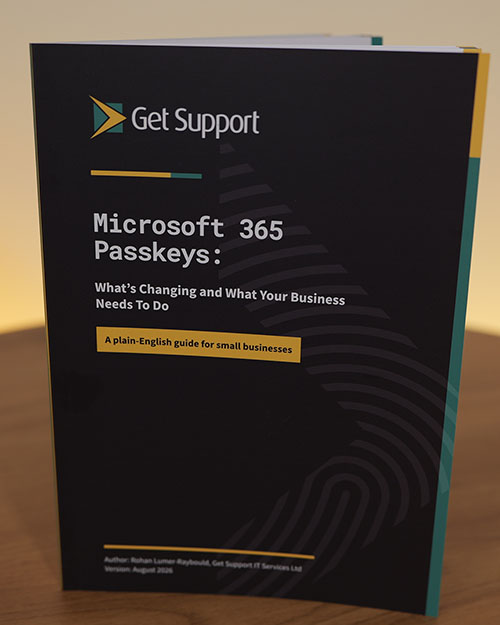
Passkeys can make Microsoft 365 sign-in safer and easier — but the real business decision is not simply whether to use them. You need to decide where work passkeys may be stored, which users need tighter controls, what staff should do when Microsoft prompts them, and how access will be recovered when a phone or security key is lost. This 48-page guide turns a technical change into a practical business plan. It compares the main options, explains the risks of unmanaged personal devices, and gives you ready-to-adapt materials for communicating and governing the rollout.
- • Know what has changed since 1 September 2026 and what happens on 1 February 2027 — without mistaking a default rollout for an immediate mandate for every user.
- • Compare Microsoft Authenticator, Windows Hello, Apple and Google passkeys, business password managers and YubiKeys — including cost, control and the users each option suits.
- • Build a controlled rollout using the included staff message, practical checklist, policy wording and passkey decision matrix.
Download the Free Microsoft 365 Passkeys Guide
Check your inbox
We have emailed your private e-book link. It may take a minute or two to arrive.
Passkeys explained
Watch our practical 22-minute explanation.
What businesses say
“Get Support IT Services has been pivotal in our growth. With their robust strategies and steadfast support, we’ve been able to focus on expansion and innovation. Get Support is more than an IT provider – they’re a strategic partner integral to our ongoing success.”
Rob Fluckiger · Group Managing Director, M&M Waste Solutions
“With fantastic assistance from Get Support, we recently achieved our Cyber Essentials Accreditation, and the entire process was simple and easy to complete. The team are always at the end of the phone, ready to help with any issues we have, and their approach is always professional and courteous.”
Richard Mackie · Compliance & Quality Manager, Pyrotech Fire & Security
“Get Support have been our trusted IT support partner for more than 10 years, and over this time have helped us to modernise and improve our IT systems, as well as helping us to build our understanding of the most secure and cost effective way to structure our IT. As our business has grown, Get Support have adapted the services they provide to us, so they continue to meet our needs.”
Luke Marion · Managing Director, Oxford Bus Company
Know What Changes Before Your Users Are Prompted
Use the guide to understand what the Microsoft prompts mean, decide which options your people may use, and avoid unmanaged work passkeys being stored on personal devices or accounts by default.
Frequently asked questions
What is a passkey?
A passkey is a digital credential that lets someone sign in without typing a reusable password or copying a code from a text message. The user unlocks it with something familiar, such as their face, fingerprint, device PIN, Microsoft Authenticator, a password manager or a physical security key. The private part of the passkey stays on the device or with the passkey provider.
Is Microsoft forcing every Microsoft 365 user to use a passkey?
No. Microsoft is making passkeys the default and preferred experience for users enabled for SMS or voice, not immediately removing every password or other MFA method. Other methods can remain available where they are enabled and allowed by the organisation.
What changed on 1 September 2026, and what happens on 1 February 2027?
From 1 September 2026, users enabled for SMS or voice are automatically enabled for passkeys and may be prompted to register one after completing MFA. On 1 February 2027, Microsoft-provided SMS and voice authentication delivery retires in Microsoft Entra ID. Businesses should identify affected users and move them to an appropriate phishing-resistant method before then.
Does every employee need a YubiKey or another physical security key?
No. Many users can use an approved passkey on a phone or computer, in Microsoft Authenticator, or through a password manager. Company-issued FIDO2 security keys such as YubiKeys can be particularly useful for administrators, finance users, directors and other higher-risk roles where the business wants stronger control.
Can staff store work passkeys on personal phones or in personal password managers?
That may be technically possible, but it should be an explicit business decision rather than an accidental default. Personal devices and accounts raise questions about shared PINs, unmanaged devices, recovery and where synced copies may exist. The guide explains these trade-offs and helps you define approved options.
What practical resources are included in the guide?
You’ll get a plain-English explanation of passkeys, the key Microsoft dates, comparisons of the main storage options, screenshots of enrolment, recommendations for three different security profiles, a staff message, rollout checklist, suggested policy wording and a decision matrix.
Can Get Support help us plan or implement passkeys?
Yes. Book a free 30-minute call with a Get Support expert to discuss passkeys, cybersecurity and IT strategy. We can help you review current authentication methods, identify affected and higher-risk users, choose suitable options, configure Microsoft Entra ID, prepare staff guidance and plan account recovery.
Need a Passkey Plan, Not Just More Information?
The guide gives you the framework. Get Support can help you review current methods, identify affected and higher-risk users, choose suitable passkey options, and build a practical rollout and recovery plan.